HandbookAI assistant
Models, effort and limits
Choose which AI model does which job, how hard the chat model thinks, and how far a run may go — and see what it all costs.
The defaults are chosen to work well; you do not have to change anything here to start. Come back to this page when you want to save money, try a stronger model, or understand a line on your bill. Like everywhere in Settings, changes apply the moment you make them.
One model per job#
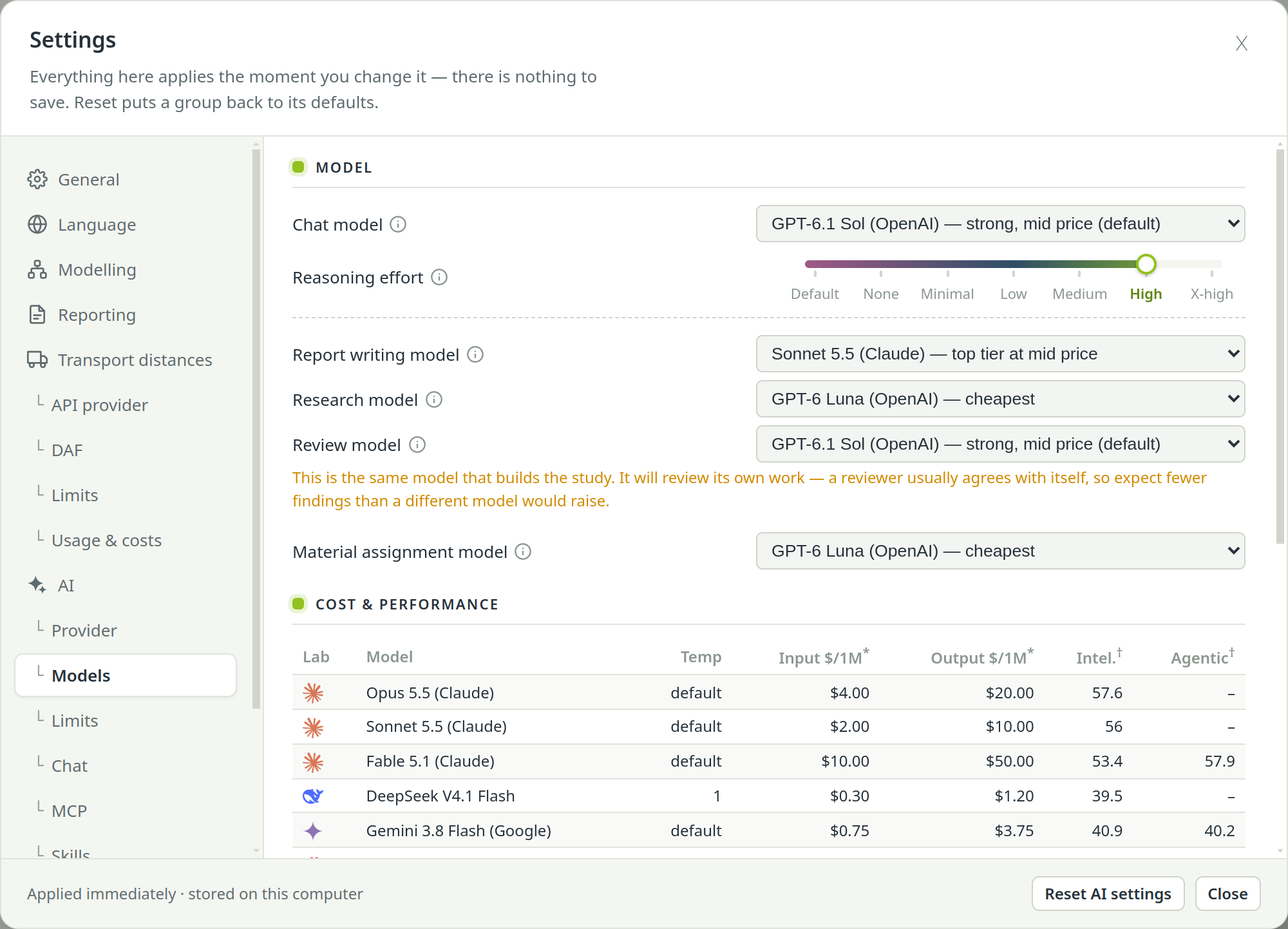
PrismLCA uses AI models for several jobs, and each job rewards something different. Under SettingsAIModels each job has its own picker; the info icon beside a name explains it.
| Role | What it does | Default |
|---|---|---|
| Chat model | The assistant in the chat: builds and changes the model, searches, calculates, tags. | Currently GPT-6.1 Sol, on either provider. |
| Report writing model | Writes the report chapters, the proposed chapter structure and the glossary. | Same as the chat model. Worth a strong model: your reader sees every sentence. |
| Research model | Runs web research and bill-of-materials research, isolated from your model. | A cheap model with web search. Searching well matters more than cleverness here. |
| Review model | Reads the evidence of a critical review and argues against the study. | A cheap model, different from the chat model. |
| Material assignment model | Matches the flows of a file imported from other software to PrismLCA's vocabulary — always from a shortlist, with “none of these” allowed. | Currently GPT-6 Luna. |
Each request is billed under the model that served it, which is why a second model name can appear in your costs even though you only chatted.
Only the active provider's models are offered. A choice you made under the other provider stays stored and returns when you switch back; until then the picker shows that role's default.
Compare price and quality#
Under the pickers, the Cost & performance table lists every model of the active provider. Click a column header to sort.
- Input $/1M, Output $/1M
- Price per million tokens sent and received. Under OpenRouter they come live from OpenRouter, and run costs are OpenRouter's own figures. OpenAI publishes no price list to read, so under OpenAI the prices are kept by hand, with the date they were checked, and costs are estimates.
- Intel., Agentic
- Ratings from Artificial Analysis: its Intelligence Index and Agentic Index, read on the date shown under the table. Scores compare only within one index version, and they are measured at each model's highest reasoning effort. A dash means “not rated”, not zero.
- Temp
- The temperature PrismLCA sends for that model, or default where the vendor's own setting applies.
A stronger, more expensive chat model can cost less per finished task than a cheap one, because it may need fewer rounds and fewer corrections. Try a cheaper one on a small task before you switch for a whole study.
Add a model#
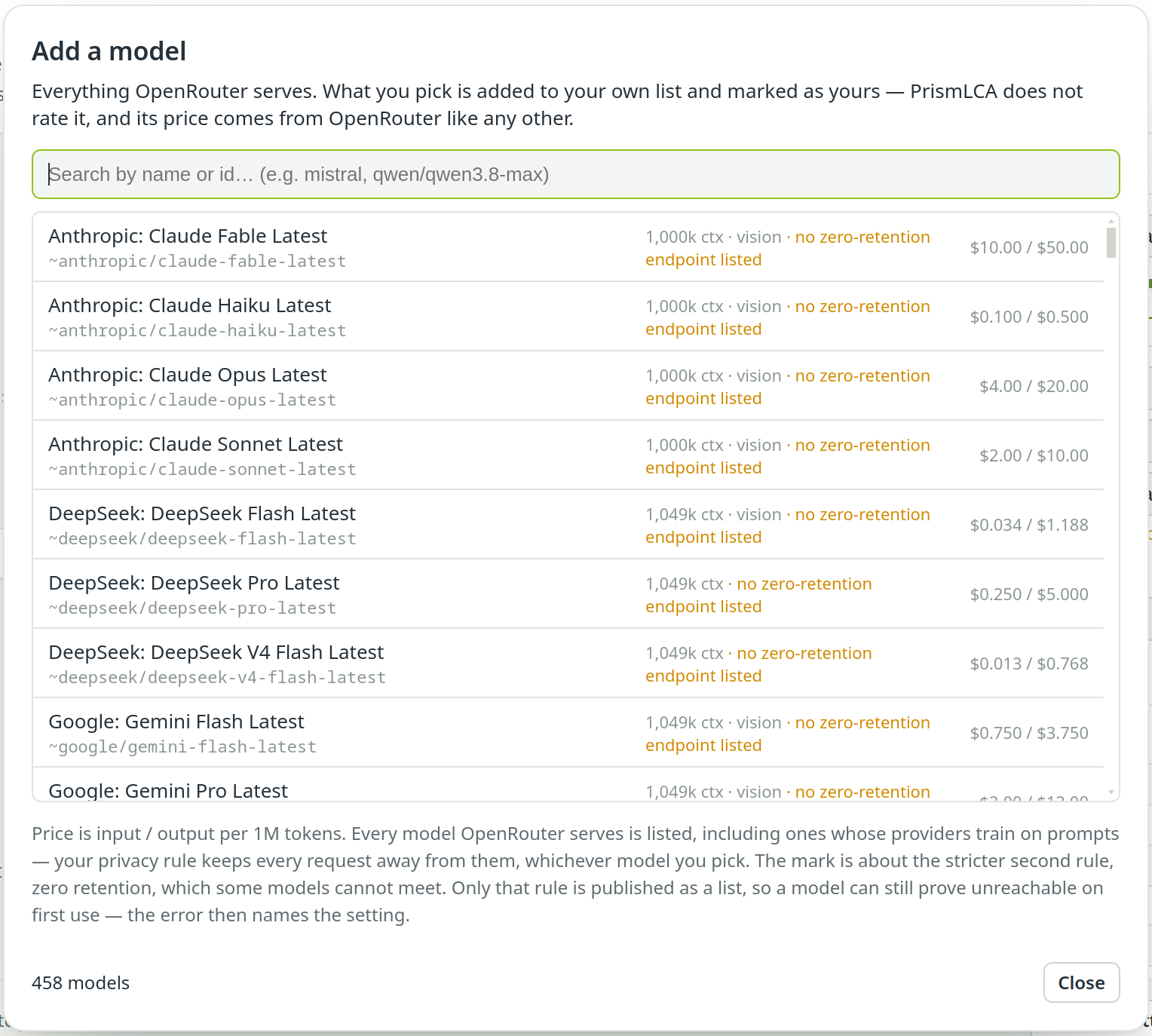
New models appear at OpenRouter before they appear in a PrismLCA release. Under OpenRouter, Add model… opens the full OpenRouter list. Search by name or id; each row shows the context window, whether the model reads images, its price — and “no zero-retention endpoint listed” where that applies, because such a model cannot be served while the strict privacy rule is on. Click a row to add it. Models already offered are marked already listed.
Your models appear at the end of the table with a pencil mark and no ratings; the trash icon removes one again. PrismLCA has not tested them, but the privacy rule and your spending limit apply as for any other model.
Reasoning effort#
Many models can think longer before they answer. Reasoning effort below the chat model sets how hard. The levels offered are the ones the vendor documents for that model; the choice is stored per model.
- Default sends nothing and leaves the model on its API's own setting — for several models well below their best.
- Higher levels usually help on complex modelling, at the cost of time and tokens.
- If a model's API rejects a level, the run continues on the default and says so.
Switch from the chat#
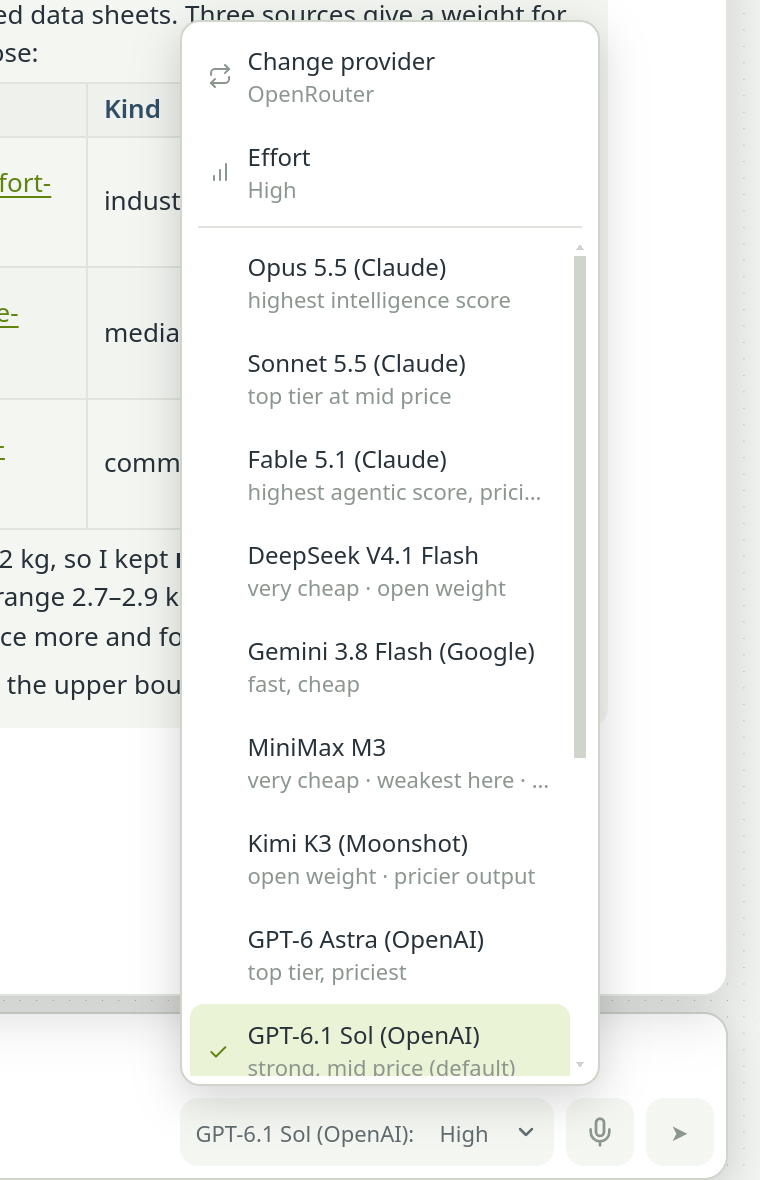
You do not have to open Settings to change the chat model. The model button in the chat's input row shows the current model and its effort, for example “GPT-6.1 Sol: High”. Its menu has:
- Effort — an upright scale from Default at the foot to the model's highest level.
- Change provider — only when keys for both providers are stored; the model list follows.
- The list of models.
This is the same choice as in Settings, not a separate one per chat.
Limits#
SettingsAILimits bounds how far a run may go. A run is everything the assistant does for one message of yours.
- Max tool rounds
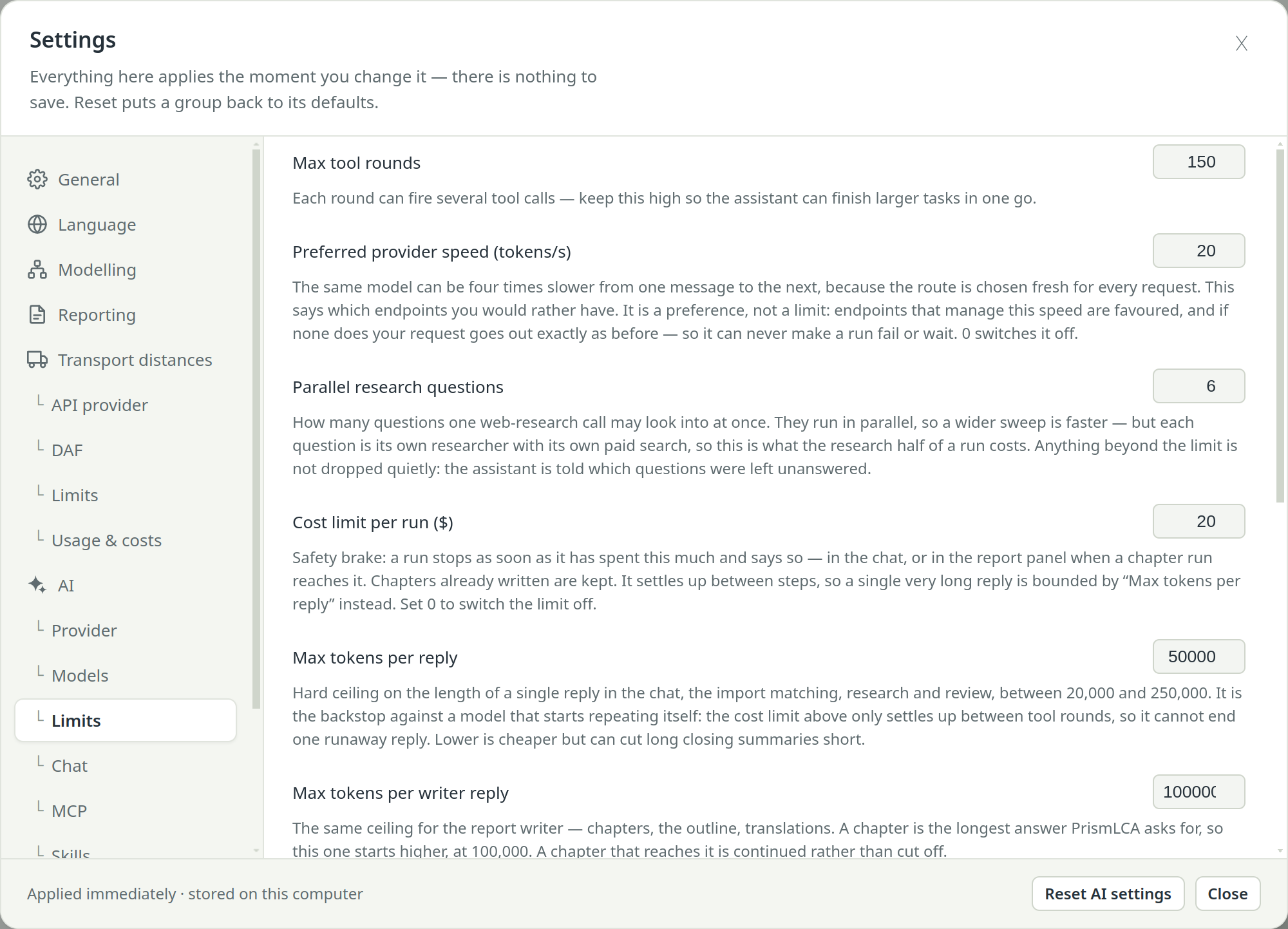
- How many rounds of tool calls one message may take (currently 150 by default, up to 400). Each round can fire several calls. A full cradle-to-grave model needs many; when the budget runs out, the assistant stops and Continue picks up where it left off.
- Preferred provider speed (tokens/s)
- OpenRouter chooses which company serves each request, and the same model can be four times slower from one message to the next. This says which speed you would rather have. It is a preference, not a limit: it never makes a run fail or wait. 0 switches it off; under OpenAI it has no effect.
- Parallel research questions
- How many questions one web-research call may look into at once (1 to 10, currently 6 by default). Wider is faster, but each question is a separate paid search.
- Cost limit per run ($)
- A run stops as soon as it has spent this much, and says so in the chat or, for a chapter run, in the report panel; chapters already written are kept. It is checked between steps. 0 switches it off. Keep the spending limit at your provider as well (Set up the assistant).
- Max tokens per reply
- A hard ceiling on the length of one reply in the chat, the import matching, research and review. It stops a model that starts repeating itself, which the cost limit cannot catch mid-reply. Lower is cheaper but can cut long summaries short.
- Max tokens per writer reply
- The same ceiling for the report writer. It starts higher because a chapter is the longest answer PrismLCA asks for; a chapter that reaches it is continued, not cut off.
- Offer only the tools a conversation needs (experimental)
- Off by default. On, the assistant gets a smaller set of tools, chosen from what you write about and widened when you change topic. Smaller sets can help weaker models pick the right tool. Reading, calculating and undoing are always available.
The same page holds the approval setting (Work with the assistant) and the privacy switch (Set up the assistant). Reset AI settings at the bottom puts models and their thinking level, limits, approval, privacy, chat options and disabled tools back to their defaults; the provider, keys, models you added yourself, chats, skills and the cost history stay.
Usage and costs#
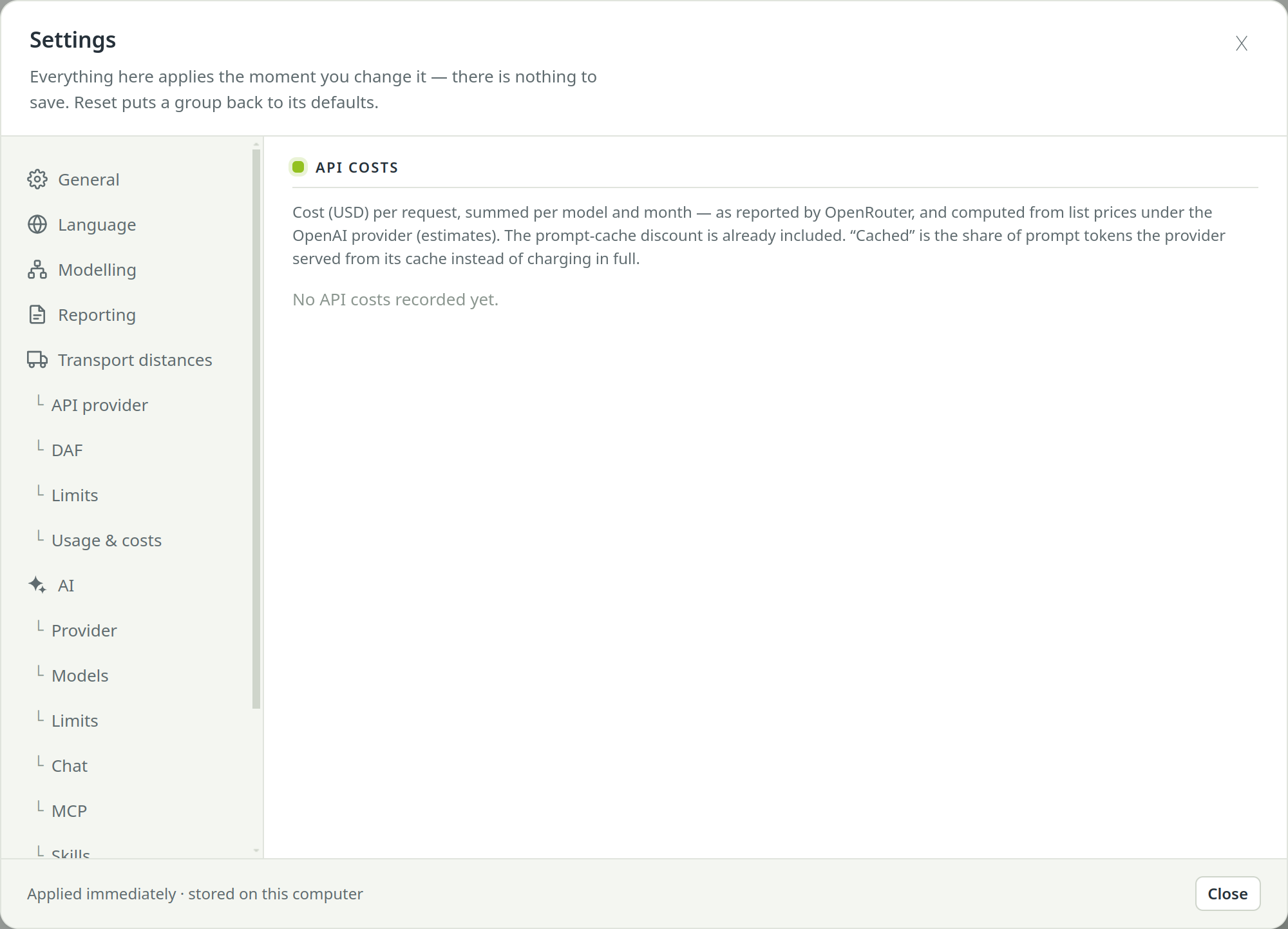
SettingsAIUsage & costs shows what you have actually spent, under API costs:
- Tiles for this month, all time and the number of models used, plus all-time totals by kind of work (modelling, reporting, import and others).
- A table per provider (tabs OpenRouter and OpenAI): models as rows, months as columns, with prompt tokens and the Cached share — the part the provider served from its cache at a discount. Hover a cell for its month's split.
The figures are the provider's own under OpenRouter and estimates under OpenAI. For the cost of a single conversation, look at the chat header instead.
See also: Settings, page by page