HandbookAI assistant
Skills and tools
Skills are what the assistant knows about doing an LCA well; tools are what it is allowed to do in PrismLCA. This page shows the built-in skills, how to add your own house rules, and how to switch tools off.
What a skill is#
A skill is a set of written instructions in Markdown — a short guide on one part of the work, such as goal and scope or choosing a proxy dataset. The assistant does not read every skill all the time. It sees the name and the one-line description of each skill that is switched on, and loads the full text when a task calls for it (the tool Load a skill). You can also ask for one by name.
Before you pick datasets for the brass fittings, load the skill on choosing a proxy dataset and follow it.
Skills keep the assistant's working method consistent across models and conversations, and they cost tokens only when loaded.
The built-in skills#
Ten skills ship with PrismLCA. They can be switched off, but not edited or deleted.
| Skill | What it covers |
|---|---|
| LCA model building | The workflow for building or extending a model: clarify goal and scope first, structure the foreground by life-cycle phase, verify the result. |
| Goal & scope | Pinning a study down before modelling: functional unit, system boundary, cut-off rules, allocation, and recording it all in the model. |
| Choosing a proxy dataset | What to do when the background database has no exact match: ranking substitutes by technology, geography and time, known traps, and documenting the compromise. |
| Parameters & formulas | When to use parameters and formulas and when not, co-product allocation, and the formula syntax. |
| Bill of materials from a product description | Turning a described product into components, materials and masses, with research and mass-balance checks. |
| End-of-life & what-if scenarios | End-of-life fates as fractions that sum to 1, the sign convention for waste treatment, and scenarios that report a range instead of one number. |
| Sea freight distances | Planning distances for the main ocean routes and the routing decisions to record beside them. |
| Interpreting results | Sanity-checking magnitudes, finding hotspots, checking the impact method variant, and testing a conclusion with scenarios. |
| Critical review | When and how to get a second opinion on a finished model, and what to do with the findings. See Research and review. |
| PrismLCA, the app around you | What each page of PrismLCA does, and what only you can do — such as writing and rendering a report or importing a database — so the assistant names the right page instead of inventing a feature. |
Some passages depend on the background database, for example the sign of waste treatment, which differs between ecoinvent and BAFU. The assistant receives only the passages that fit the databases switched on in the chat.
Add your own skill#
Write down how your team works — a preferred electricity mix, naming rules for processes, how you document assumptions — and the assistant follows it in every chat.
Write the instructions in a Markdown file#
Any text editor will do; save it as
.md(or.txt). Write it as you would brief a new colleague: what to do, when, and why. Short and specific works best.# Our house rules for packaging studies - Use the German grid mix for all production in Germany, never the European average. - Name foreground processes "phase – component", e.g. "Production – reel body". - Put every assumption into a parameter, with its source in the description. - Ask before excluding any component under 1 % of the product mass.Open the Skills page#
Go to SettingsAISkills. Or, from the chat, choose + → Skills → Add skill, which opens the same page at the form.
Fill in the form#
Under the list, enter a Name and, in What / when to use it for?, one sentence that tells the assistant when to load it. Then click Choose a Markdown file… and pick your file.
Add it#
Click Add. The skill appears in the list, switched on.
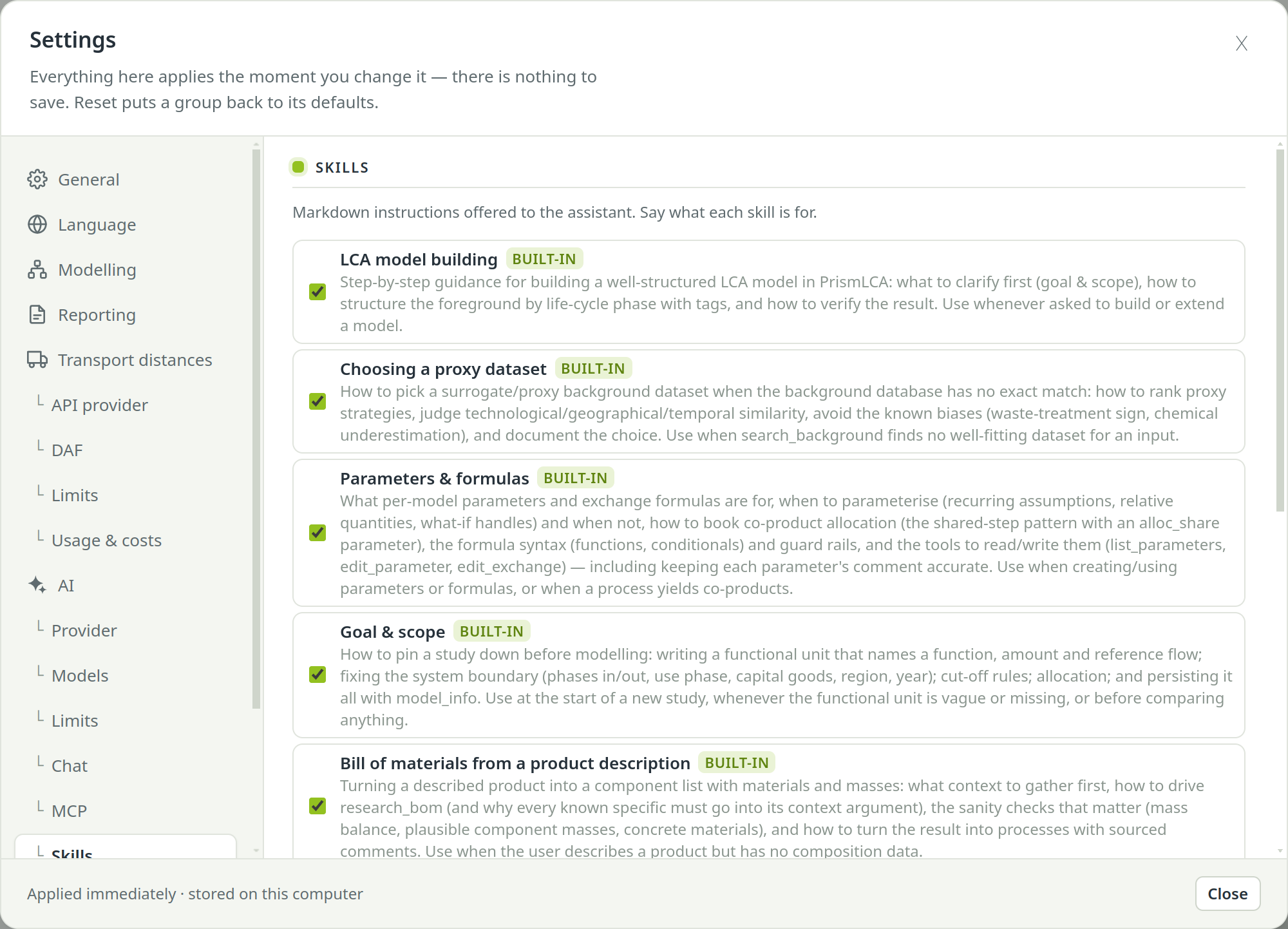
Click a skill's name to read its full instructions, built-in ones included. ✕ deletes one of your own skills.
You can use the database fences in your own skills too: put a passage between
<!-- if ecoinvent --> (or <!-- if bafu -->) and
<!-- endif -->.
Switch skills on and off#
Each skill has a switch, in two places: the checkbox in SettingsAISkills, and the Skills entry in the chat's + menu. Both are the same switch, so a change applies to every chat, not only the one in front of you.
A skill that is off is not offered to the assistant and not handed over even if it asks for it by name. Text the assistant already loaded earlier in a conversation stays part of that conversation.
Tools: what the assistant may do#
Everything the assistant does in PrismLCA, it does through tools: searching a database, creating a process, changing an amount, calculating, researching, undoing. Each tool call appears as a line in the chat.
SettingsAITools lists every tool under Assistant tools, grouped by what it does — reading and searching, editing the model, parameters, scenarios, impact methods, research and more. Each row has a checkbox, the tool's name with its technical name in brackets, and a ? with a short explanation.
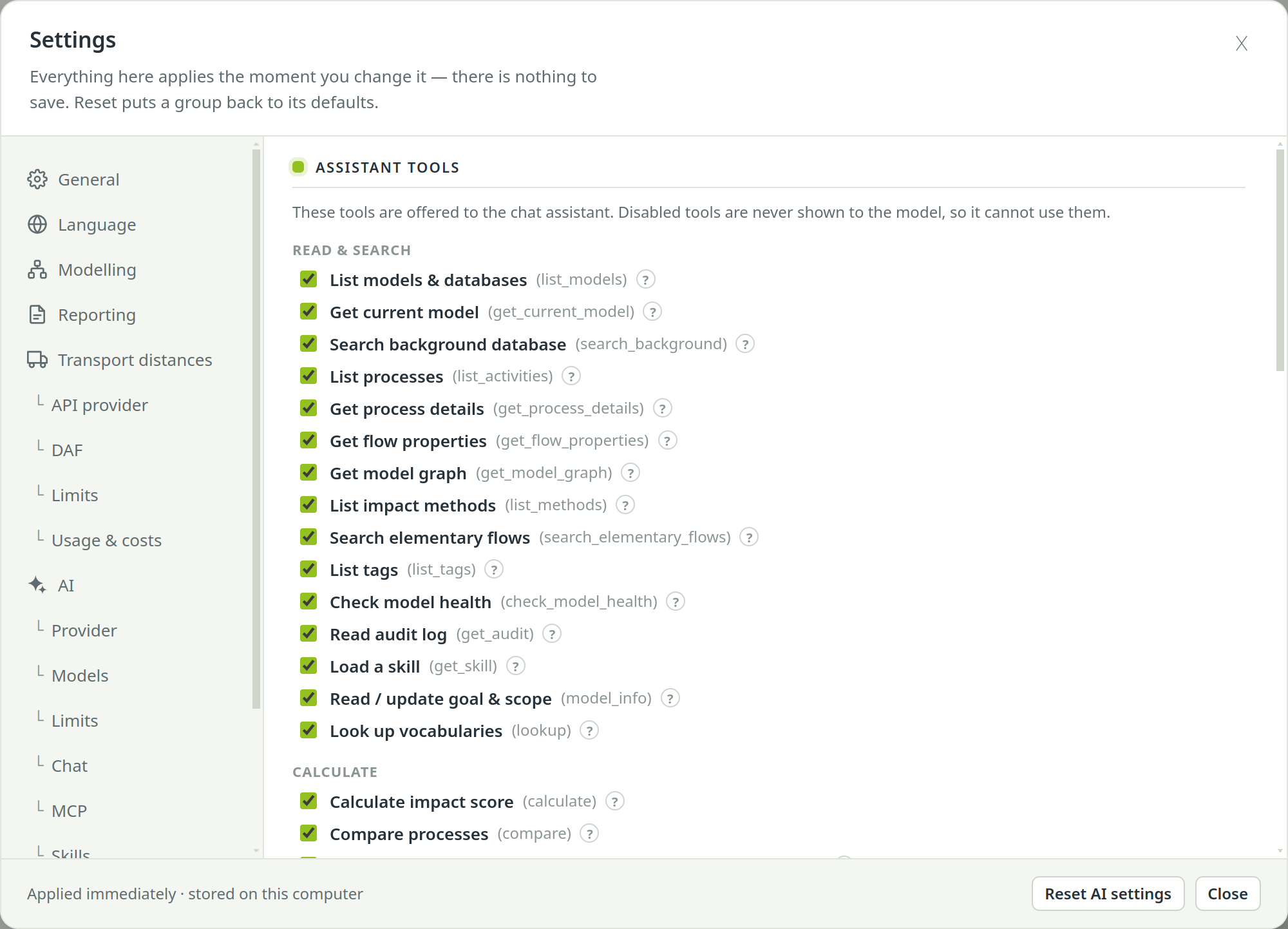
A switched-off tool is never shown to the model, so it cannot use it — and does not know it exists. Use this when the assistant should not do something at all, for example never touch your impact methods. Expect it to tell you when a task needs a tool it does not have.
Three tools also have their own switches, per chat in the + menu and for the whole app in Settings: Web search and Eurostat EoL (SettingsAIChat) and Distances (Offer the distances tool to the assistant under SettingsTransport distancesLimits).