HandbookGet started
Tutorial: build a model with the assistant
In this tutorial you describe a product in a few sentences and let the assistant build the model, research the missing figures and calculate the result. You stay in charge: you watch every step, answer its questions and check what it did.
Before you start#
- A workspace with a background database — the free BAFU database is enough. See Set up your first workspace.
- An API key for the assistant, entered under SettingsAIProvider. See Set up the assistant.
- About fifteen minutes, and a product you know a little about. This tutorial uses a garden hose reel.
Build the model#
Create an empty model with a goal#
On the Overview, choose + Model. Give the model a name and fill in Goal: one or two sentences on what you want to know. The assistant reads the goal as its brief, so a clear goal saves you questions later.
Carbon footprint of a garden hose reel set, cradle to gate, for an internal design comparison.
Describe the product#
Open the model and click into the chat at the bottom right. Describe what the product is made of and where it comes from, in plain words. Figures you know help; figures you do not know, the assistant will research.
Model a garden hose reel set: a 20 m PVC hose with brass fittings on a polypropylene reel, made in China and shipped to Germany. Research the masses you do not know and show me your sources.
Follow the plan#
For a task like this, the assistant first writes a plan and ticks it off step by step. You can read along, stop it with Stop or add a remark while it works — your message waits as a chip and is read at the next step.
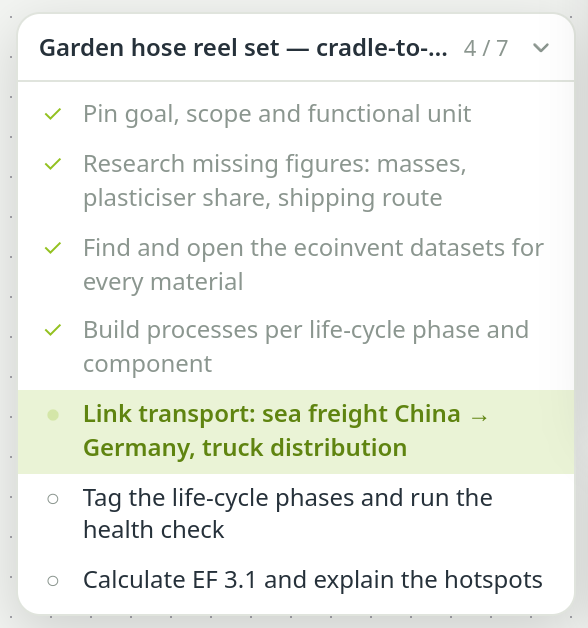
The plan card: what the assistant intends to do and how far it has got. Answer its questions#
When something is ambiguous — which electricity mix, which end of life — the assistant asks instead of guessing. Before anything that cannot be undone, such as deleting a model, it asks for your permission in the PrismLCA window.
Check what it built#
When the plan is done, look at the result as you would look at a colleague's work. Click through the three places that matter:
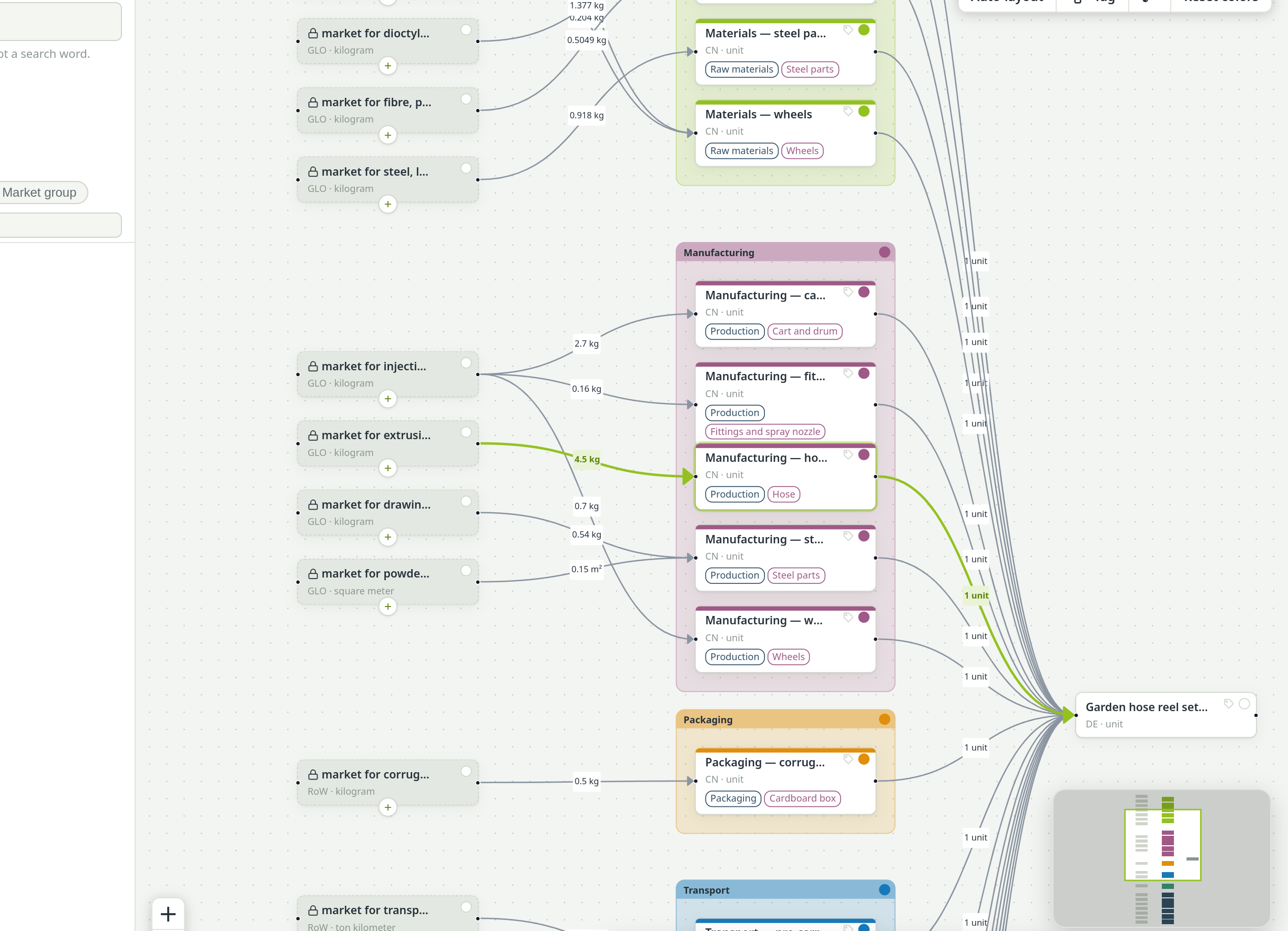

- Masses and amounts: do the numbers on the arrows add up to the product you know?
- Sources: open two or three researched parameters and read the cited page. Is the figure really there?
- Datasets: click a background process. Is it the right material, the right region?
- Health check: ask the assistant to run it, or see Check, undo and the audit log.
Ask for the result#
The assistant can calculate and explain the result in the same chat:
Calculate the climate impact with EF 3.1 and tell me which three processes contribute most, and why.
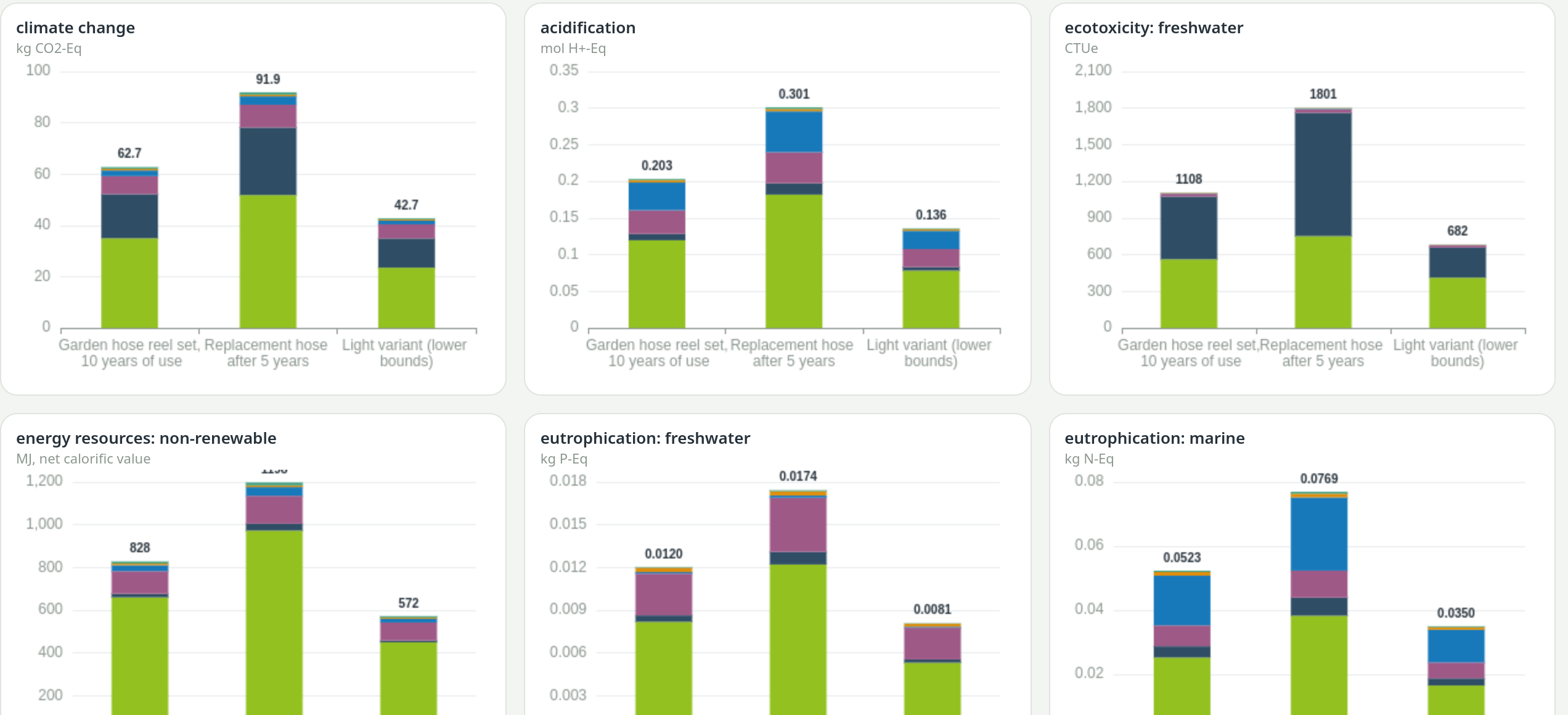
Then open the Results page to see the numbers yourself — Compare results explains what you find there.